
# Resize Your PDF Files Easily
In today’s digital world, it is important to manage files properly. Whenever a PDF file is presented, shared, or organized properly, it is crucial to resize it accurately to make it look perfect. The important thing to remember during resizing a file is to maintain its quality and ensure it fits perfectly on any screen for easy viewing. This can be achieved only with the right resizing technique.
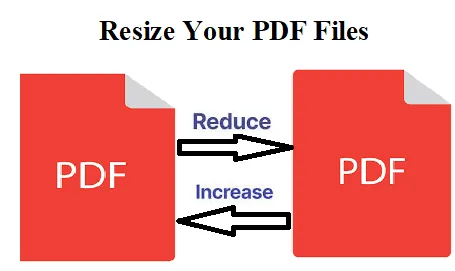
In this article, we will guide you through the streamlined techniques you need to resize your PDFs effectively and unlock their potential. However, resizing a PDF does not mean to reduce or compress the file size. It can also increase the original document size based on your needs.
Understanding PDF Resizing
In today’s world of digital communications, managing files efficiently just cannot be more important. Among the plethora of file types that we deal with every day, PDFs are outstanding due to their versatility and dependability. Be it a student, a professional, or a casual user, one must have come across PDFs in several situations, like academic papers, business reports, eBooks, or even marketing materials. Unfortunately, size is generally perceived as a challenge associated with PDFs. With limited storage, it is very difficult to share large PDFs, as it takes a lot of time to open as well as to store.
You need to understand the meaning of resizing your PDFs, which is not only reducing their dimensions or contents but also optimizing them to function or be accessed easily. If a PDF is resized without losing the quality, then the documents load, share, or print perfectly, which will enhance the user experience. This will also lead to saving storage space on your device and cloud services.
Further, in professional contexts, this ability to resize PDFs can make all the difference. Suppose you have a highly detailed report to send to a client, and the PDF file size is too large for their email server to accommodate it. Then, resizing will effortlessly help you to optimize your documents in the best format for your intended usage. The process is very easy. Even a beginner with a basic skill can handle documents efficiently.
Common Scenarios for PDF Resizing
Such resizing in a PDF is applicable to several scenarios, all requiring a customized approach for maximum effect. The most common one is while sharing documents online. If the PDF file is large, then it can be problematic. Because of the large file size, the process of downloading might be slow, which may lead to email rejection. For a smoother experience, resize PDFs and easily make them accessible.
Another common use case is printing. Most of the time, PDFs that are printed out have different needs than those that are to be digitally consumed. High-resolution images are better for printing. If the dimensions of the document are not properly set, then the print might not be clear. So, we need to enlarge a PDF to improve readability. It is always better to resize your PDFs according to the standards of the printer to look professional.
For professional or educational use, PDF resizing is very helpful. When working on a group project or sharing any form of resources with colleagues, one often has to change data in large volumes. Here, we can utilize resizing options to reduce upload and download time as well as storage space on your device. This will not hinder the process, but will enhance productivity among team members.
Using online PDF resizers
Online PDF resizers are not difficult to resize a PDF, as they can be freely available, do not need any installation, and can be accessed easily from any digital device connected to the internet. Websites like Safepdfkit, Smallpdf, ILovePDF, and PDF2Go provide hassle-free interfaces whereby users can upload their PDF documents, select desired settings, and download resized versions within minutes. This convenience makes the online resizers popular for quick, hassle-free PDF resizing.
Resizing a PDF with safepdfkit normally involves a few easy steps. No complicated procedures. First, you upload the PDF you want to resize. Next, you choose the desired page size. Then, simply press the ‘Resize’ button, and the tool will process and resize your PDF pages easily. You can further download the resized PDFs to your device by clicking the download button.
If you are new or want a quick solution to resize PDFs, then safepdfkit is a very easy and convenient option.
If you are searching for specific paper sizes for your PDFs, then Safepdfkit offers an extensive range of resizing options to meet all your document needs. Whether you’re preparing a presentation, printing materials, or archiving files, our tool makes it easy to resize your PDFs to any standard or custom paper size.
Wide Range of Resizing Options
Standard Paper Sizes:
A Series: A0, A1, A2, A3, A4, A5, A6, A7, A8, A9, A10
B Series: B0, B1, B2, B3, B4, B5, B6, B7, B8, B9, B10
C Series: C0, C1, C2, C3, C4, C5, C6, C7, C8, C9, C10
Popular Sizes: Letter, Legal, Folio, Executive, Tabloid, RA series (RA0 to RA4), SRA series (SRA0 to SRA4), and more.
Custom and Large Formats: Resize to large formats like 2A0, 4A0, or custom sizes as 4x6 inches and 8.5x11 inches.
Easily manage your PDFs at our https://safepdfkit.com/resize-pdf for all your PDF resizing needs.
Note: Over-resizing could result in a noticeable reduction in image quality and also the clarity of text. Our website offers varying page sizes and lets users choose the one that best fits their needs. In the case of digital use, resizing includes optimizing the document for screen size and resolution. That is, the text must be readable, and images should load fast.
Conclusion:
Resizing means not just selecting random sizes. It is important to choose the best option for your needs according to the situation. Our website offers an easy solution for precise PDF resizing without losing the quality. This ensures that your document is perfectly optimized for its intended use.
Visit safepdfkit and explore the options for enhanced user experience, easy accessibility, and compatibility. Let your PDF document change into an efficient means of communication without any hassle.