
# Highlight your PDF document online
What is highlighting in a PDF?
Highlighting in a PDF is a digital annotation feature that allows you to apply a transparent color overlay to text, similar to using a physical highlighter on a printed page. It helps emphasize important words, sentences, or entire paragraphs without modifying the original content.
PDF highlighting is a core markup tool widely used for studying, reviewing, and collaborating on documents.
What are the Benefits of Highlighting a PDF Document?
The benefits of highlighting within a PDF are:
Performing a more effective PDF Review and Analysis of Content.
Identifying important Sections/Clauses in a PDF (Contracts and Agreements).
Identifying specific pieces of data contained within PDF’s (Business Reports/Records).
Adding Comments or Other Forms of Notes to Highlighted Text (Linking to).
Unlike simply changing the color of text, PDF Highlighting does not alter or modify the existing text. PDF Highlighting provides a Non-Intrusive Method of emphasizing important information, while still keeping the original format intact.
With the use of an Online PDF Text Highlighting Tool, you can easily manage highlights (Adding, Editing and Deleting) as necessary, with speed and security.
How do I highlight text in a PDF document using safepdfkit for free?
Safepdfkit makes it simple and easy to mark text in PDF documents from any device. It provides a straightforward online PDF highlighter that works across all operating systems without requiring a software download. The platform combines highlighting with comprehensive editing, annotation, and collaboration tools in a secure environment.
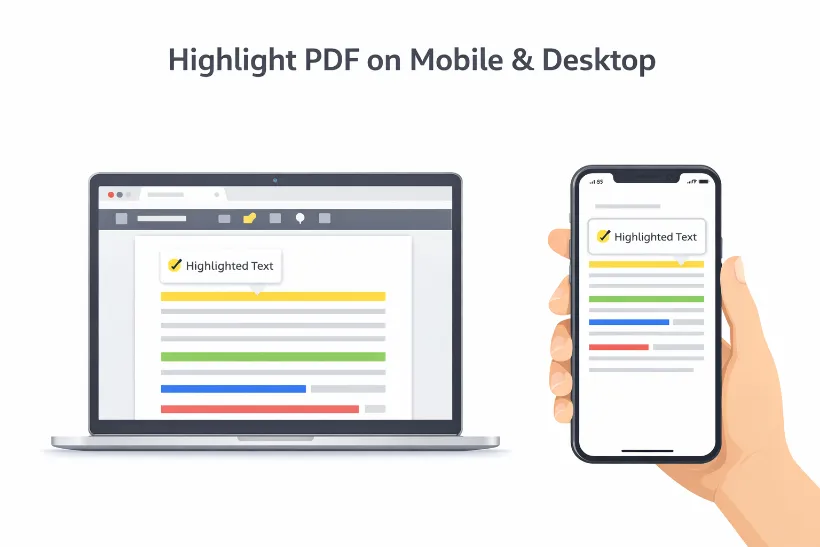
How to highlight PDF content easily:-
Tips on Creating a Color-Coded Highlighting System
With the use of an online PDF highlighter, now you can easily manage long & complex documents. However, if your documents require multiple annotations/highlights, implementing a colour-coding system is crucial.
When implemented properly, a clearly defined highlighting system allows you to better organise information, increase clarity and streamline communication within your team. Below are some helpful tips from experts about how best to utilise this type of tool when highlighting PDFs:
Define Color Meanings Upfront
Establish clear meanings for each highlight color before starting your review. Document these conventions and share them with all collaborators using your ]([https://safepdfkit.com/pdf-text-highlighter)[PDF[PDF) highlighting tool online.**
For example:
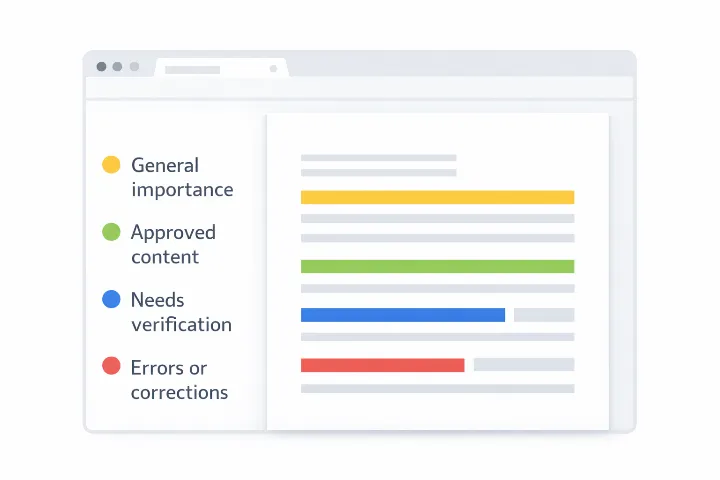
Yellow – General importance or key points
Green – Approved content or completed items
Blue – Content that needs verification or fact-checking
Red – Errors, issues, or sections requiring correction
Adapt Colors to Your Industry
Many different industries can benefit from customized colour systems that are designed specifically for them; for example, in the legal sector, various colours could be used to differentiate between different indemnity types, different payment terms, or different types of termination conditions, whereas in academia, unique colours would be applied to highlight elements such as methodology, results, discussions and limitations within an academic paper or article.
Using a reliable PDF editor online allows you to customize and apply these systems easily.
Maintain Consistency
Once you establish a color-coded highlighting system that works, apply it consistently across all documents and projects. Share the system with your team to ensure everyone follows the same standards. Over time, this consistency makes document reviews faster and more intuitive.
Combine Highlighting With Comments
While color coding improves visibility, adding short comments to highlighted sections provides valuable context. Combining highlights with annotations using an online PDF text highlighting tool leads to clearer communication and a deeper understanding of the document.