
# Compare PDFs Online: Finding Differences Easily
We all prepare documents for various purposes. Whether it’s for presentations, submissions, sharing, or other needs. Sometimes, these original documents change. However, there are instances when people want to see exactly what modifications have been made from the original version. That’s why we need a precise PDF comparison tool to identify and highlight the differences between the original and the revised documents.
Comparing PDFs involves taking two document versions and placing them side by side in an effort to highlight what is different, be it text or images. Even the tiniest changes-a date or a single word-can matter much. A robust comparison tool will catch everything in an instant.
The SafePDFKit’s Compare PDF Tool was created to make this process straightforward and efficient. The tool works directly in your browser without installation, without uploading sensitive content to a server, and without requiring any registration. This will give you a fast and secure comparison experience.
This article will explain what PDF comparison means, why it matters, who uses it, and how SafePDFKit makes comparing PDFs incredibly easy.
What does comparing PDFs mean?
PDF comparison is the process of checking two PDF files to identify what has changed. It’s not just about spotting large text edits; modern comparison tools pick up on even the tiniest of differences.
It generally covers:
Changes to Text: This includes changes such as typed sentences, addition or deletion of paragraphs, missing punctuation, or updated numbers, dates, or values. These edits are often difficult to detect manually.
- Visual or Graphic Changes: If the file includes diagrams, icons, or other visual elements, comparing PDFs points out added or deleted graphics, updated charts, replaced icons, color, or opacity changes. This is especially useful for designers and publishers.
- Structural Differences: Sometimes new sections are added, headings changed, or pages rearranged. Comparing PDFs can help in the detection of reordered pages, added or removed headings, or new sections or reorganized content. This ensures that the final document structure is correct.
Why is PDF Comparison Important?
Document comparison plays a critical role in accuracy and clarity. Here’s why professionals and everyday users rely on it:
- Avoid Mistakes: One incorrect number, a changed word, or a missing sentence might create confusion or major mistakes. Comparing PDFs ensures that all of the details are correct.
- Easy Tracking of Revisions: Instead of manually going through each page, comparison automatically highlights the differences, saving hours in review time.
- Validate Final Versions: Comparing PDFs confirms everything is in the right place before submitting a report, publishing a paper, or signing a contract.
- Maintain Document Integrity: Comparison helps to find unauthorized changes quickly in case some editing was done without your knowledge:
- Improve Collaboration: Teams often work on multiple versions of the same file. Comparisons help to ensure the entire team stays literally on the same page.
Who Needs to Compare PDFs?
Comparisons of PDFs apply to a wide range of fields. Some examples include:
- Students and Researchers: They compare different versions of drafts for assignments, theses, or project reports using tools on comparison websites.
- Teachers and Academics: They compare exam papers, question sets, or revised coursework for accuracy before printing or sharing.
- The Legal Professionals: Contracts, agreements, and other legal documents undergo revisions at times. Comparing two versions will ensure that no clause is missed.
- Businesses and HR Teams: Matters needing approval include company policies, pricing sheets, employee forms, and proposals.
- Designers and Publishers: Brochures, posters, and manuals to be compared for correct formatting and visuals.
- Government and Administrative Offices: Regular checks are done on documents that, officially, should not be changed.
Comparing PDFs is necessary wherever accurate information is needed.
Benefits of Using SafePDFKit’s Compare PDF Tool
SafePDFKit offers a clean, modern, easy-to-use way to compare PDFs directly in the browser. Some of the major benefits of using it include the following.
-
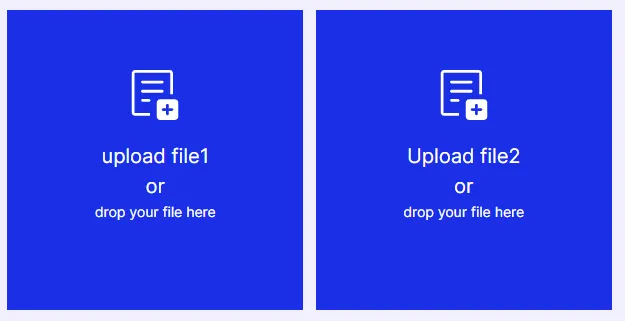
Simple and Quick Upload Options: You can upload both PDFs quickly from any device, Google Drive, Dropbox, or by dragging and dropping files. This flexibility makes SafePDFKit convenient for users working across different platforms.
-
Side-by-Side Comparison View: The tool shows both PDFs side by side, so changes can be seen visually. This helps instantly identify missing paragraphs, see moved images or adjusted spacing, and naturally compare formatting changes. The side-by-side view gives you a clear picture of what changed from one version to another.
-
Text and Visual Difference Detection: It does more than compare texts. It also detects moved elements, deleted sections, modified images, adjusted alignments, and formatting changes. This makes it extremely useful for design-heavy or mixed-content PDFs.
-
Works Completely in Your Browser (No Uploading to Servers). The tool processes everything locally. Your files remain on your device, not uploaded to any server.
-
Privacy and Security Maintained. No risk of document leaks. It is ideal for confidential or sensitive work.
-
No sign-up and Installation: You can compare PDFs instantly without having to create an account. There’s no software to download and no lengthy setup. Just open the tool → upload → compare.
-
Works on Any Device: It is entirely web-based. Thus, you can compare PDFs from Windows, Mac, Android, iPhone, Tablet, or laptop. All major browsers are supported, including Chrome, Edge, Safari, and Firefox.
How to Compare PDFs Using SafePDFKit – Step-by-Step Guide
Here is a simple, clear, and detailed explanation of how you can make use of the tool:
- Upload Both PDF Files
- Wait for Both Documents to Load.
- Viewing the PDFs Side by Side.
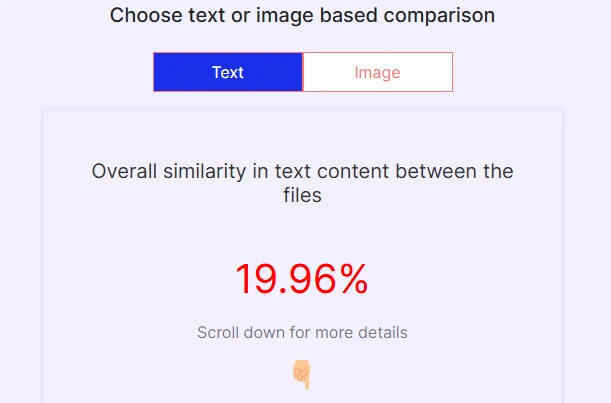
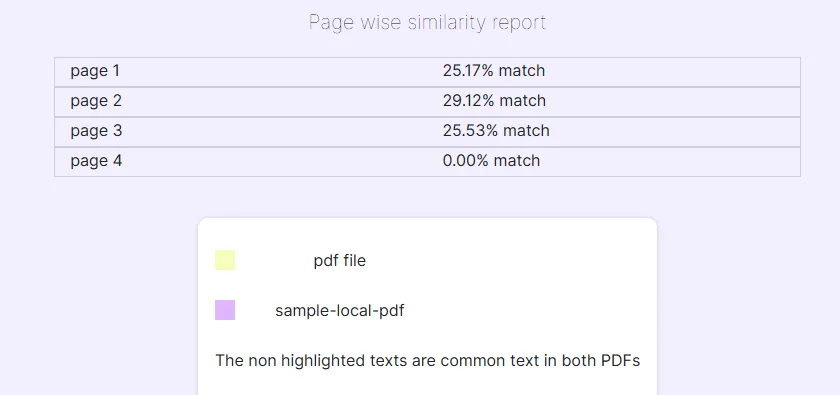
- Let the Tool Highlight the Differences.
- Scroll Through Pages to Review
- Save or Download Comparison Results.
Final Thoughts:
PDF comparison makes sure the content being used is correct, consistent, and final. It ranges from small text edits to major changes; PDF comparison avoids errors, maintains clarity, and saves a huge amount of time. The safepdfkit Compare PDF Tool provides one of the easiest and safest ways online to check for differences. With secure browser-based processing, simple uploads, clear highlighted results, and a friendly interface, it provides all you need for professional document comparison.
Working with documents frequently, be it at school, in business, design, or legal fields, SafePDFKit provides just the right toolkit to help you notice differences swiftly and with confidence.